你说的应该是台湾早年的 「巴布(babu)部落格」,正式名称是 BabuBlog(巴布网),大约在 2000 年代初很红。
它的玩法(完全符合你描述)
注册后,平台会给你一个专属短号码(像 1234 这种)。
手机发短信(简讯)到这个短号码,内容就会直接发布到你的巴布网个人页面。
相当于 “短信发微博 / 部落格”,不用电脑,随手记、随手发。
现状
这个网站早已停运(大约 2010 年后就没了),域名 babu.tw 现在也不是当年的站点了。
当年台湾类似的还有:无名小站(Wretch)、痞客邦(PIXNET)、Xuite 日志,也都支持短信发文,但 “巴布” 是最早、最纯靠短信发文的那个。
现在有没有类似替代品?
你现在要的是:发一条短信 → 自动发到个人页面 / 备忘录。
现代替代(可直接用):
IFTTT + 短信 + 苹果备忘录:发短信到特定号码,自动同步到 iPhone 备忘录。
Telegram 机器人:发消息给机器人,自动存为笔记 / 发布到网页。
短信转邮件 + 邮件转备忘录:最稳,老牌方案。
一起还能阅读的台湾译者陈系美的博客,好像叫:猫玲玲的写字柜。现在都登陆不上去了。还有2002前后齐鲁晚报的青未了论坛也没有了。这些难忘的青春呢!
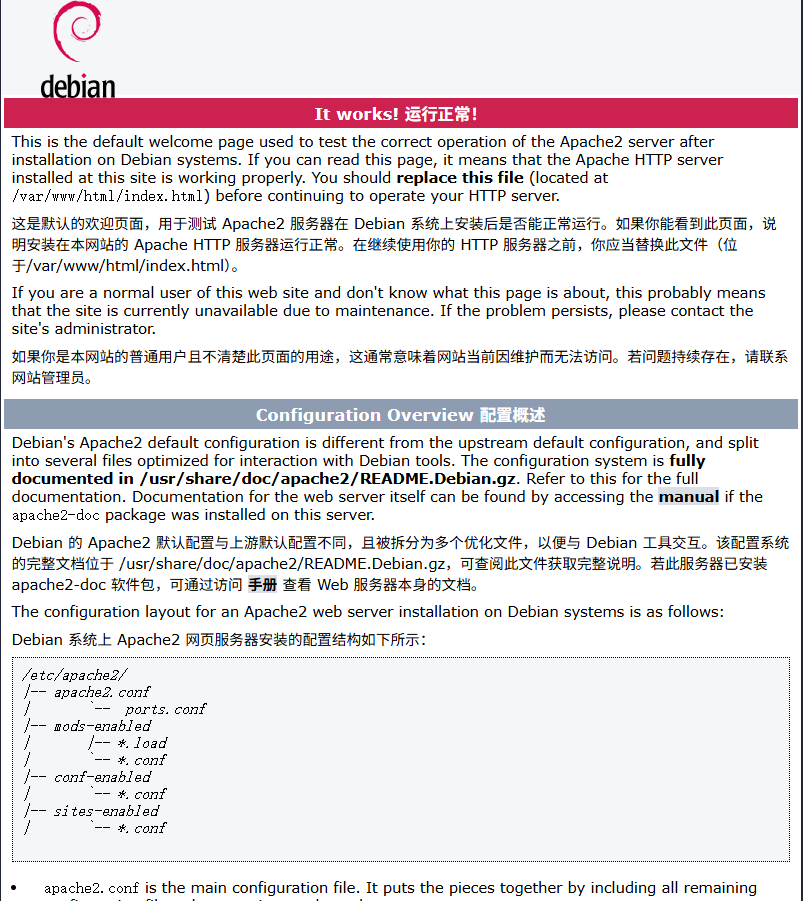
Apache2 Debian Default Page
It works!
This is the default welcome page used to test the correct operation of the Apache2 server after installation on Debian systems. If you can read this page, it means that the Apache HTTP server installed at this site is working properly. You should replace this file (located at /var/www/html/index.html) before continuing to operate your HTTP server.
If you are a normal user of this web site and don’t know what this page is about, this probably means that the site is currently unavailable due to maintenance. If the problem persists, please contact the site’s administrator.
Configuration Overview
Debian’s Apache2 default configuration is different from the upstream default configuration, and split into several files optimized for interaction with Debian tools. The configuration system is fully documented in /usr/share/doc/apache2/README.Debian.gz. Refer to this for the full documentation. Documentation for the web server itself can be found by accessing the manual if the apache2-doc package was installed on this server.
The configuration layout for an Apache2 web server installation on Debian systems is as follows:
/etc/apache2/
|-- apache2.conf
|       `--  ports.conf
|-- mods-enabled
|       |-- *.load
|       `-- *.conf
|-- conf-enabled
|       `-- *.conf
|-- sites-enabled
|       `-- *.conf
- apache2.conf is the main configuration file. It puts the pieces together by including all remaining configuration files when starting up the web server.
- ports.conf is always included from the main configuration file. It is used to determine the listening ports for incoming connections, and this file can be customized anytime.
- Configuration files in the mods-enabled/, conf-enabled/ and sites-enabled/ directories contain particular configuration snippets which manage modules, global configuration fragments, or virtual host configurations, respectively.
- They are activated by symlinking available configuration files from their respective *-available/ counterparts. These should be managed by using our helpers a2enmod, a2dismod, a2ensite, a2dissite, and a2enconf, a2disconf . See their respective man pages for detailed information.
- The binary is called apache2. Due to the use of environment variables, in the default configuration, apache2 needs to be started/stopped with /etc/init.d/apache2 or apache2ctl. Calling /usr/bin/apache2 directly will not work with the default configuration.
Document Roots
By default, Debian does not allow access through the web browser to any file apart of those located in /var/www, public_html directories (when enabled) and /usr/share (for web applications). If your site is using a web document root located elsewhere (such as in /srv) you may need to whitelist your document root directory in /etc/apache2/apache2.conf.
The default Debian document root is /var/www/html. You can make your own virtual hosts under /var/www. This is different to previous releases which provides better security out of the box.
Reporting Problems
Please use the reportbug tool to report bugs in the Apache2 package with Debian. However, check existing bug reports before reporting a new bug.
Please report bugs specific to modules (such as PHP and others) to respective packages, not to the web server itself.
http://huchida.bloggerism.net/